
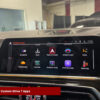

BMW-MGU-Store-Waze-Cluster
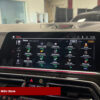
BMW-MGU-Store-Apps-Install
BMW-MGU-Store-Installation-Free
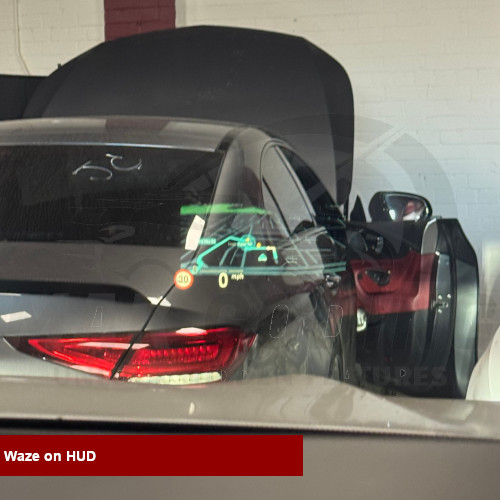
BMW-MGU-Store-Waze-HUD
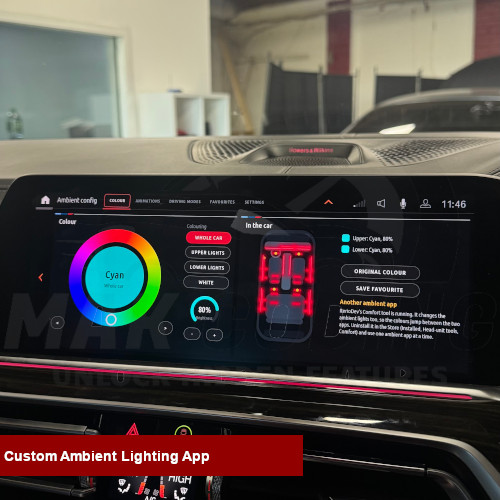
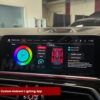
BMW-MGU-Store-Ambient-App

BMW MGU Store Installation | iDrive 7 Custom Apps

£120.00

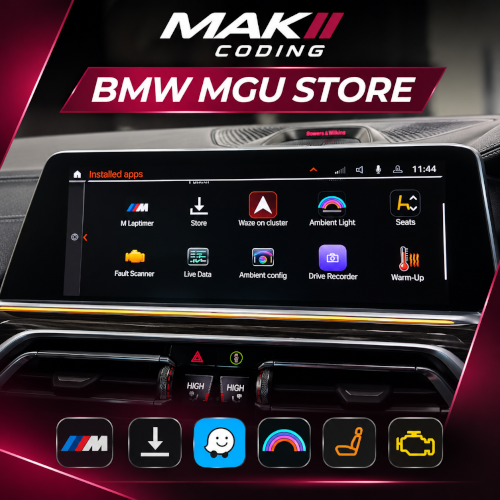
Unlock more features on your BMW iDrive 7 system with our professional BMW MGU Store installation service.

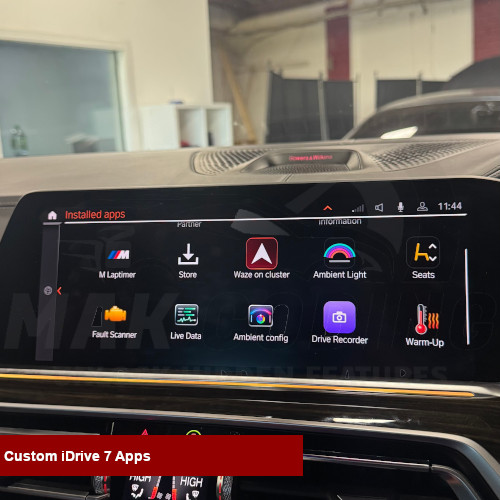
Access a range of exciting applications, including performance monitoring, acceleration timers, vehicle diagnostics, navigation enhancements and more, directly through your original BMW infotainment system.

✅ Compatible BMW MGU / iDrive 7 systems
✅ Performance, diagnostics and navigation apps
✅ Integrated into your original BMW display
✅ Professional installation by MAK Coding
✅ Remote installation available on supported vehicles

Contact MAK Coding today to check compatibility with your BMW.


Take a look at our amazing Reviews – Facebook / Google

WhatsAppButtonGreenLarge

£

Description

BMW MGU Store Installation | iDrive 7 Custom Apps

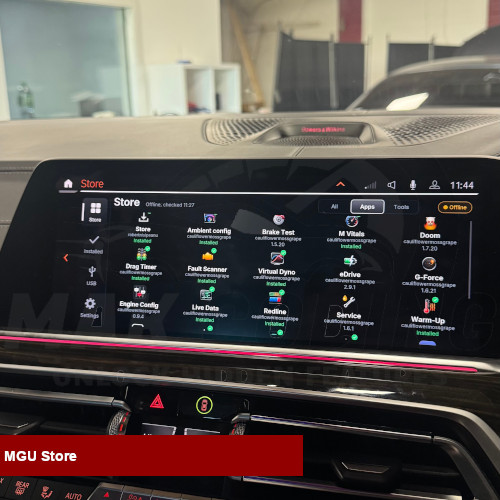
Take your BMW infotainment system to the next level with our professional BMW MGU Store installation service. MGU Store allows compatible BMW vehicles equipped with the iDrive 7 (MGU) infotainment system to access additional applications and features beyond the standard factory interface.

At MAK Coding, we specialise in BMW software upgrades, coding, activation and infotainment solutions. Our MGU Store installation service allows you to enhance your existing BMW system without replacing the original head unit.

NBTevo Firmware Update | ID6 Theme Upgrade | Map Updates 

MAK Coding | MGU Apps
MAK CODING / BMW IDRIVE 7

MORE THAN
JUST IDRIVE.

Unlock a new world of possibilities with community-developed MGU applications. Explore performance tools, vehicle diagnostics, navigation enhancements and more, directly on your BMW display.

13Featured Apps
🗺️

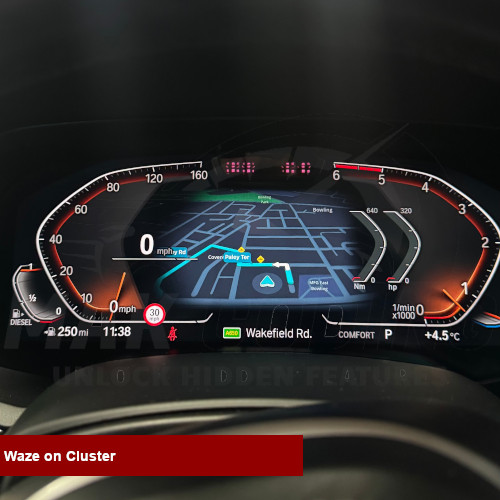
Waze on Cluster

Navigation

Display compatible CarPlay or Android Auto navigation on the instrument cluster, with experimental HUD support.

NAVIGATION ENHANCEMENT
📊

M Vitals

Performance

Monitor live engine, intake, temperature, fuel, tyre and chassis information.

LIVE VEHICLE METRICS
⏱️

Drag Timer

Performance

Record 0–100 km/h, 100–200 km/h and quarter-mile times with personal best tracking.

PERFORMANCE TIMING
📈

Virtual Dyno

Performance

Estimate power and torque curves from acceleration data and compare saved runs.

POWER ANALYSIS
🏁

Redline

Performance

Full-screen tachometer with shift lights, gear display and shift scoring.

REV COUNTER
🎯

G-Force

Performance

View a live friction circle, peak G readings and session records.

HANDLING METRICS
🛑

Brake Test

Performance

Measure braking distances and deceleration, including repeated-run comparisons.

BRAKING ANALYSIS
🔍

Fault Scanner

Car Health

Read vehicle fault memory and Check Control messages. Clearing faults is also supported.

VEHICLE DIAGNOSTICS
📡

Live Data

Car Health

View live vehicle values, personalised gauges and trip information.

REAL-TIME DATA
🔧

Service

Car Health

Review oil, brakes, brake fluid and vehicle inspection intervals.

SERVICE STATUS
🌡️

Warm-Up

Car Health

Monitor oil and coolant readiness and view suggested warm-up and cool-down guidance.

ENGINE READINESS
⚡

eDrive

Car Health

Hybrid-focused battery, electric range, power and charging information.

HYBRID INSIGHTS
🎮

Doom (Freedoom)

Entertainment

Play the open-source Freedoom game using iDrive controls while parked.

PARKED USE ONLY

READY TO UPGRADE YOUR IDRIVE?

Contact MAK Coding to discuss MGU Store installation and vehicle compatibility.

ENQUIRE ON WHATSAPP ↗

MGU Store is free, open-source software by Robert Nisipeanu. Featured apps are third-party community projects; availability and compatibility vary by vehicle and release. Software and app names belong to their respective authors. MAK Coding offers an independent installation service and is not affiliated with BMW or the app developers. Use performance features only when safely parked or on a closed track. App descriptions adapted from publicly available project information. App developer credits.

Activation Methods

Remote Activation: Let us handle everything — we connect to your car remotely via your laptop and perform the activation for you. Req. ENET/OBD Cable + Windows Laptop.

Bradford: Prefer to have it done for you? Visit our Bradford workshop for same-day CarPlay activation. Ideal if you’re local or nearby.


find-us-on-facebook-badge


Important Notes:

You will need to pair your BMW Digital Key Card once the installation is complete.

We’re only changing you for our time it takes to install and setup the MGU store, not the store itself. The store itself is free and available online.

Please note, this is an aftermarket product and you accept responsibility for the risks.


Why Customers Choose Us

  • Years of Experience 
  • Professional Install
  • No Hidden Costs
  • After-Sale Support
  • See Why Our Customers Love Us – Facebook/ Google


FAQs

What is BMW MGU Store?

BMW MGU Store is a third-party application platform that allows compatible BMW iDrive 7 MGU head units to run additional applications, including selected performance, diagnostics and navigation tools.

Can BMW MGU Store be installed remotely?

Remote installation may be available on supported vehicles. Compatibility, software version and connection requirements must be checked before installation.

Will BMW MGU Store work on my BMW?

MGU Store is intended for certain BMW MGU head units running iDrive 7. Compatibility cannot be confirmed from the model or year alone.

Do I need to replace my BMW screen?

No. On supported vehicles, the software uses the existing factory BMW MGU infotainment system.

Does MGU Store affect my BMW warranty?

Third-party software modifications may affect warranty coverage or dealer support for related systems. Customers should check the implications before installation.


Reviews

There are no reviews yet.

Only logged in customers who have purchased this product may leave a review.